The questions hotel teams actually ask.
Answered plainly, and only with what the product does today. If something here is not true of your property, say so on the call and we will tell you straight.
Getting started
5 questionsHow long does it take to launch?
Most properties are live within 30 days, and some in two weeks. We do the setup, the design and the launch. The pace depends on one thing: how quickly you get us what you have and approve what we draft.
What does my team need to provide?
Amenities, services, hours, policies, your local picks, and your brand assets if you have them. Most of it already lives in a binder behind your front desk, on your website, or in a folder of photographs. A spreadsheet is fine. So is a PDF.
What does the launch look like, step by step?
A kickoff call, a build, a review and a launch. You see the guide on a phone before anyone else does; your editors get their logins; the QR codes go to the rooms.
What happens after launch?
Your team edits it themselves, and we stay on the other end of a request button inside your own portal — with screenshots, so nobody describes a problem over the phone. A report arrives every week and every month.
Can we see it before we commit?
Yes — you can see it right now, without talking to anybody. The Continental is a complete demo hotel running on the real product: scan the code on this site and it opens on your phone. On a call we walk through your own property instead of a slide deck.
Pricing and terms
5 questionsHow does pricing work?
A one-time development fee, then a monthly hosting and service fee, set per property by size and scope. The spoken concierge is an add-on, priced separately from the typed one.
Why isn’t pricing listed on the site?
Because a 60-room boutique and a 400-room downtown hotel are different pieces of work. Fifteen minutes gets you a real number for your property rather than a range that fits nobody.
Is there a long-term contract?
No lock-in. Cancel with 30 days’ notice; renewal is month to month.
Do you price for multiple properties?
Yes. Bundle pricing starts at 3 properties and improves at 5. Larger portfolios get their own agreement.
What is included in the monthly fee?
Hosting, security, support, design changes we make for you, and your editor accounts. The edits your own team makes are unlimited and cost nothing.
The guest experience
5 questionsHow do guests open it?
They scan a QR code, tap an NFC sticker, or follow a link in a message. No app, no login, no download. On a laptop the guide shows a screen that hands them to their phone, with its own code.
Can guests open it before they arrive?
Yes. The same link works in a pre-arrival message or a confirmation email, and nothing expires — guests use it before, during and after the stay.
Does it replace the front desk?
No. It answers the questions your desk answers twenty times a shift so your team can be present for the rest. Every path out of it leads back to a person.
Is it accessible?
It is a web page in the guest’s own browser, so it inherits the text size, contrast and screen reader their phone already has — and the guide has its own text-size control as well. We build to WCAG AA and check the colors of every hotel’s palette against it.
What if a guest has no smartphone?
The desk is still there. This is a relief valve, not a replacement.
The concierge
6 questionsIs the concierge AI? What if it gets something wrong?
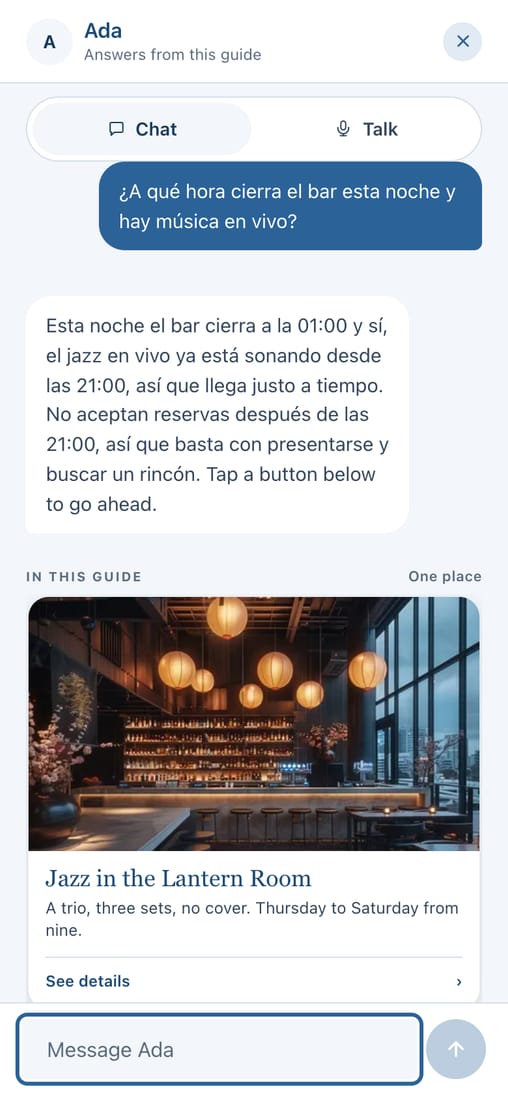
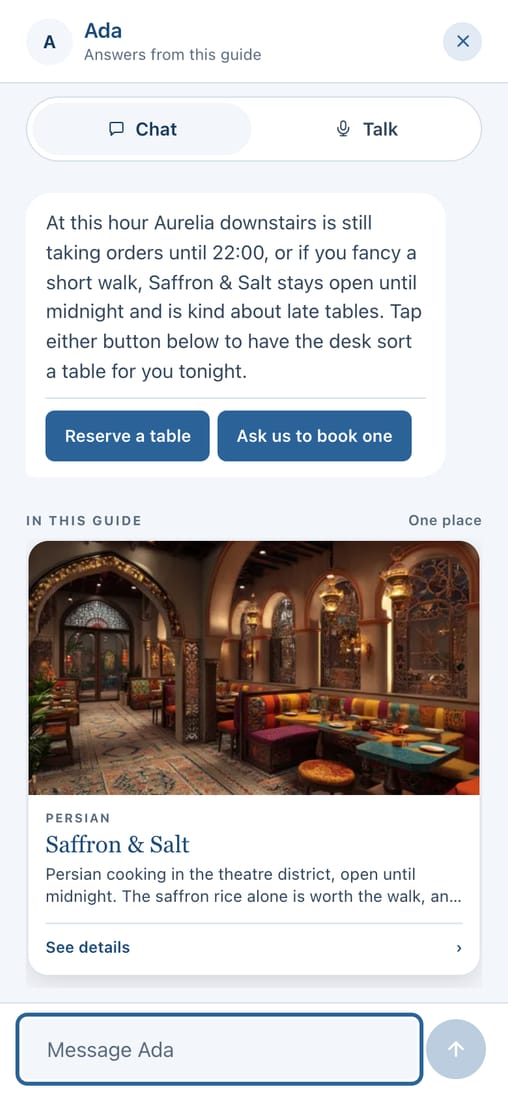
Yes, and the important part is what it is allowed to know: it answers only from your guide and your lists. If the answer is not there, it says so and passes the guest to your desk. It never guesses a price, a time or a distance.
Can guests talk to it, or only type?
Both. They can type, or hold a button and speak, and the answer comes back out loud and in writing. Spoken answers are the same checked answers as the typed ones — the voice reads them, it does not invent them.
What language does it answer in?
The one the guest used. Ask in Spanish and it answers in Spanish; the same for French, German, Japanese and the rest. You do nothing to set that up.
Could it give out a door code?
No. Credentials are held apart from the guide, encrypted, and released only to a guest who opened it from the link in their own room. The spoken concierge is not even given them to read.
What does it do with an emergency question?
It answers with your property’s own emergency and reception numbers before any AI is involved at all. That path works even if every model we use is down.
What do we see about what guests asked?
Themes and counts — “four guests asked about parking and the guide had no answer” — never the sentences guests typed. That is deliberate, and there is no screen in the product that shows them.
Languages
3 questionsIs the guide itself translated, or just the concierge?
Both. The whole guide is translated — your words, your page titles, your lists — and guests switch with a pill at the top. The concierge answers in the guest’s language whether or not that language is switched on for the guide.
Who translates it, and what happens when we edit?
We run the pass for you. Edit one line in English and only that line goes stale; the next pass translates it and leaves the rest alone. Your guide never sits half-translated.
Which languages can we have?
Fourteen today, including ones that need a different alphabet. If your guests need one we do not have, tell us.
Your team
5 questionsWho updates the content?
You do, in the same editor we use, with up to three editor accounts. Change it, see it on a phone, publish. Design-level changes are ours — send a request from your portal.
How much training does it take?
About half an hour, and that is generous. The editor shows your guide as a phone; you double-click the words on it and type.
What if our front desk turns over?
The knowledge stays with the property. A new hire reads the guide their guests read, and is useful on day one.
Can we keep a list of restaurants current ourselves?
Yes, and that is the part hotels use most. Your lists — restaurants, spa treatments, rooms, events, offers — are yours to add to, reorder and publish. Events take themselves off the guide when they end.
How does messaging work for the desk?
A guest taps a button and their own phone opens a message to your number, with the request already written — “I’d like to ask about a late checkout.” Your team replies from the number they already use. We are not in the middle of it.
Branding and content
6 questionsWill it match our brand?
Completely. Your colors, your typefaces, your photography, your tone. Every color in the guide is a value we set for you, so a change reaches every page at once — and nobody can tell which platform it was built on.
Can we use our own fonts?
Yes, and we host them ourselves rather than loading them from Google, so your guests are not tracked when they read your guide. We confirm you hold web rights before a font goes live.
Can we use our own web address?
Yes — guide.yourhotel.com, or your whole domain, with the certificate handled for you. The printed QR codes keep pointing at our address on purpose, so a lapsed DNS record can never kill a code already on a nightstand.
What kind of content can it hold?
Wi-Fi, dining, amenities, hours, policies, room details, local recommendations, transport, menus, events, photographs, video, and PDFs where a PDF is genuinely the right answer.
Can different room types see different content?
Yes. Suites, club floors or a particular building can have their own pages.
Who writes the local recommendations?
Your team. Nobody knows your neighborhood like the people working the desk. We organize and design what you give us — and the concierge answers from exactly that, so your recommendations are the ones guests get.
Your stack
5 questionsDo we need new software or an integration?
No. No new platform, no IT project. It works alongside the messaging tools your desk already uses.
Does it connect to our PMS?
It does not need to, which is why a launch takes 30 days instead of a year. It sits beside your stack rather than inside it.
Does it work with our key cards and signage?
Yes. The code can be printed on key card sleeves, room signage, welcome cards, a table tent — anything a guest already touches. Each code can be named, so you can tell which ones guests actually use.
What devices does it work on?
Any phone with a browser from the last several years, plus tablets and laptops.
What if it goes down?
Hosting is enterprise-grade with monitoring and redundancy, and the guide is served as a published snapshot — so an editor mid-edit, or a problem in the studio, cannot take a guest’s guide down.
Security and data
6 questionsDo guests hand over any personal information?
No. No sign-in, no account, no email address. The guide sets no cookies at all, which is why there is no consent banner in front of it.
What do you measure?
Counts, not people: which pages open, which buttons are tapped, at what time of day, on your hotel’s own clock. No IP address reaches our database — it is hashed before anything is stored — and nothing identifies a guest.
Are the messages to our desk private?
Yes. They go from the guest’s phone to your number. We do not store them, read them, or sit in the middle.
What about the questions guests ask the concierge?
The question text is kept only as long as you choose — thirty days by default — and then removed, with the theme and the count kept. Shortening that setting reaches questions already asked.
How is it secured?
HTTPS everywhere, data encrypted at rest, credentials encrypted separately again, and every editor account behind a sign-in link rather than a password. Each hotel’s data is isolated at the database itself, not by our code remembering to filter.
Are you GDPR and CCPA compliant?
Yes, and it is straightforward because we do not collect personal guest data in the first place.
Management companies
5 questionsWe run several properties — how does that work?
Each property gets its own guide, its own brand and its own lists. Your operations team sees every property in one place; each hotel’s team sees only its own.
Can properties differ from one another?
Entirely. Different branding, different content, different policies, different languages. Consistency happens in how they are run, not in how they look.
Can we start with one property?
Yes, and we would. Start where the desk is under the most pressure, then roll out in waves of three to five.
Who edits — corporate or the property?
Whichever you prefer. Editor accounts are per property, so you can centralize or delegate.
Do you have references?
Yes — properties in Boston, across independents, branded flags and portfolios.
Still wondering something?
Ask it on a fifteen-minute call, or in an email. We answer the awkward ones too.